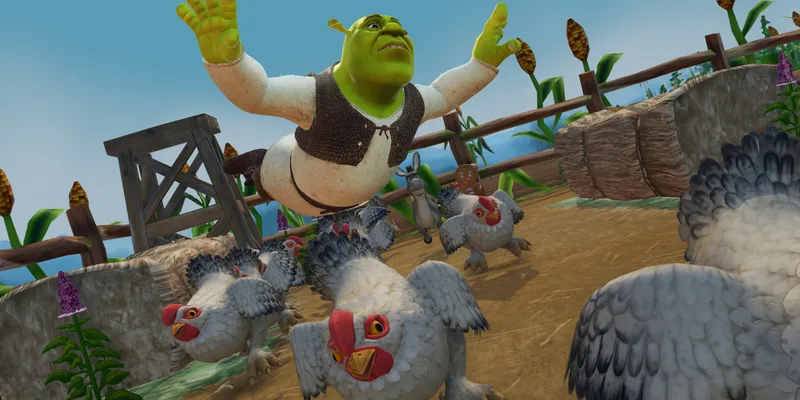
- DreamWorks Shrek 2 Remastered pc system requirements include Windows 11 64-bit, 8GB RAM, DirectX 12, and 15GB storage.
- Minimum graphics hardware is listed as NVIDIA GTX 1060 or AMD RX 570 by the official PC support information.
- Recommended specifications have not been publicly detailed in the available official materials as of November 9, 2026.
- Best setup approach is to confirm storage, update graphics drivers, and lower shadows or effects first when performance drops.
- Controller support is available as a practical alternative to keyboard and mouse controls on PC.
DreamWorks Shrek 2 Remastered PC Requirements
DreamWorks Shrek 2 Remastered pc system requirements are designed for modern Windows PCs, but the official information currently provides a confirmed minimum specification rather than a complete recommended tier. Use the minimum requirements as a compatibility checkpoint, not as a guarantee of high-resolution performance.
The game is scheduled for release on November 10, 2026, with the PC version distributed through Steam and the Epic Games Store. The official support information lists the following confirmed requirements.
| Component | Minimum requirement | What it means |
|---|---|---|
| Operating system | Windows 11 64-bit | A 64-bit Windows installation is required |
| Memory | 8GB RAM | Sufficient for the listed minimum configuration |
| Graphics card | NVIDIA GTX 1060 or AMD RX 570 | Dedicated graphics hardware is required |
| Graphics API | DirectX 12 | The system must support DirectX 12 |
| Storage | 15GB | Reserve space for the base installation |
| Platform | PC | Available through Steam and Epic Games Store |
Meeting the minimum requirements confirms basic hardware compatibility, but it does not establish a target frame rate, resolution, or graphics preset. Start with conservative settings if your PC is close to the listed minimum.
The available specifications do not confirm a recommended processor, recommended graphics card, higher memory tier, or additional space for patches. Avoid treating generic PC gaming assumptions as official requirements. Instead, compare your hardware against the confirmed operating system, RAM, GPU, DirectX, and storage requirements.
The official Aspyr graphics specifications page is the best place to check for later updates to the PC requirements.
Hardware Comparison and Upgrade Priorities
A quick hardware check helps identify whether your PC is ready for launch. The graphics card is the most important comparison point because the confirmed minimum specification names dedicated NVIDIA and AMD GPUs. Memory and storage are also straightforward checks, while the processor requirement remains unspecified in the currently available support data.
| Hardware area | Confirmed information | Upgrade priority |
|---|---|---|
| GPU | GTX 1060 or RX 570 minimum | High if below the listed models |
| RAM | 8GB minimum | Medium if the system has less than 8GB |
| Operating system | Windows 11 64-bit | High if using an unsupported Windows version |
| DirectX | DirectX 12 required | High if the GPU or OS lacks support |
| Storage | 15GB installation space | High if the drive has limited free capacity |
| CPU | Official model requirement not listed | Check official updates before upgrading |
Graphics Card
Compare your dedicated GPU with the official GTX 1060 or RX 570 minimum. Integrated graphics should not be assumed to meet the requirement.
System Memory
Keep at least 8GB RAM available for the game and close unnecessary applications when troubleshooting stutter or slow loading.
Storage Drive
Reserve 15GB for installation and leave additional free space for updates, temporary files, and normal operating system activity.
Operating System
Confirm that Windows is running in 64-bit mode and supports DirectX 12 before launch day.
If your PC falls short in multiple areas, prioritize the operating system and graphics card first. Additional RAM can help multitasking, but it does not replace a DirectX 12-capable dedicated GPU.
Use this order when checking a borderline system:
- Confirm Windows 11 64-bit support.
- Verify that the graphics card meets or exceeds the listed minimum.
- Check available RAM and close background applications.
- Confirm at least 15GB of free storage.
- Update the graphics driver before testing the game.
The official store information also describes enhanced visuals, improved textures, updated cinematic presentation, and support for up to four-player cooperation. Those features may place greater demands on a PC than the original release, so a system that only barely reaches minimum specifications may need reduced settings.
PC Setup Steps for Launch Day
Follow this setup process before starting DreamWorks Shrek 2 Remastered on PC. It separates compatibility checks from performance tuning, making it easier to identify the cause of a launch or frame-rate problem.
Check Windows and DirectX
Open the Windows system information tools and verify that the operating system is 64-bit. Confirm DirectX 12 support before installing the game. If the PC cannot meet these requirements, changing in-game settings will not solve the compatibility issue.
Compare the Dedicated GPU
Check the exact graphics card model in Windows or the graphics driver utility. Compare it with the confirmed NVIDIA GTX 1060 or AMD RX 570 minimum. Do not rely only on shared graphics memory or an integrated GPU label.
Prepare Storage
Make sure the installation drive has at least 15GB available. Keeping extra free space is useful for patches, temporary installation files, and system operations. An SSD may also provide smoother loading than a nearly full mechanical drive.
Update Drivers and Close Background Apps
Install a current graphics driver and close unnecessary overlays, browsers, recording tools, and launchers. This reduces avoidable resource conflicts during the first launch and makes performance testing more consistent.
Tune Graphics Gradually
Begin with a stable resolution and moderate visual settings. If frame rate falls, lower shadows and effects first, then adjust texture quality or resolution. Change one group of settings at a time so you can identify which option helps.
| Setup stage | Action | Result |
|---|---|---|
| Compatibility | Verify Windows 11 64-bit and DirectX 12 | Confirms the required software foundation |
| Hardware | Compare the GPU with GTX 1060 or RX 570 | Identifies major graphics limitations |
| Installation | Reserve 15GB or more | Reduces storage-related installation problems |
| Optimization | Update drivers and close background tools | Creates a cleaner test environment |
| Tuning | Lower demanding settings progressively | Balances image quality and performance |
After changing settings, test the same area or activity for several minutes. Consistent results are more useful than judging performance from a single loading screen or short encounter.
For controller users, connect the gamepad before launching and verify that Windows detects it correctly. If input is not recognized, reconnect the controller, restart the game, and check the in-game control settings. Keyboard and mouse remain the basic PC input option, while a compatible gamepad can provide a more console-style layout.
Graphics Settings and Performance Tips
The official materials confirm enhanced resolution and visual improvements, including support for 4K on applicable platforms. They do not provide a complete PC graphics preset guide, so use a practical adjustment order rather than assuming that every system can run maximum settings.
| Performance problem | First adjustment | Additional check |
|---|---|---|
| Low frame rate | Lower shadows and effects | Reduce resolution if needed |
| Stuttering | Close background applications | Check driver and storage health |
| Screen tearing | Enable vertical synchronization | Consider a frame-rate limit |
| Long loading | Use a drive with free space | Avoid installing on a nearly full drive |
| Visual glitches | Update graphics drivers | Restart after changing display options |
| Controller issues | Reconnect the gamepad | Verify input mapping and device detection |
PC Readiness Checklist:
- Confirm Windows 11 64-bit is installed
- Verify DirectX 12 support
- Compare the GPU with NVIDIA GTX 1060 or AMD RX 570
- Reserve at least 15GB of free storage
- Update graphics drivers before launch
A complete official recommended specification has not been confirmed in the available materials as of November 9, 2026. Treat unofficial hardware tiers as estimates, not as guaranteed developer guidance.
Use the following tuning order for a balanced result:
- Keep textures higher if video memory allows, because reducing them can make the image look softer.
- Lower shadows before reducing the display resolution.
- Reduce visual effects if combat scenes or busy areas cause drops.
- Use a stable frame-rate limit when frame pacing feels uneven.
- Disable unnecessary overlays while diagnosing crashes or inconsistent performance.
PC players should also remember that online cooperative features can be affected by network conditions rather than graphics hardware. If local play works but online sessions fail, investigate the connection, platform login, firewall, and multiplayer setup separately from the PC requirements.
Troubleshooting and FAQ
Most launch issues can be narrowed down by separating compatibility, installation, graphics, input, and multiplayer problems. Make one change at a time and restart the game after applying major system or display changes.
| Issue type | Quick diagnosis | Practical response |
|---|---|---|
| Game will not launch | Check OS, DirectX, and GPU | Update Windows and graphics drivers |
| Installation fails | Check free storage | Clear space beyond the 15GB base requirement |
| Poor performance | Compare GPU and RAM | Lower shadows, effects, or resolution |
| Controller missing | Check device detection | Reconnect before launch and verify mapping |
| Online co-op trouble | Test network and platform login | Recreate the session after connection checks |
Change one variable at a time, restart when appropriate, and record which adjustment changed the result. This prevents several fixes from masking the real cause.
Q: What are the DreamWorks Shrek 2 Remastered pc system requirements?
The confirmed minimum requirements include Windows 11 64-bit, 8GB RAM, an NVIDIA GTX 1060 or AMD RX 570, DirectX 12, and 15GB of storage.
Q: Is a recommended PC specification available?
A complete recommended specification has not been publicly confirmed in the available official information as of November 9, 2026. Check Aspyr's support page for later updates.
Q: Can I play on integrated graphics?
Integrated graphics should not be assumed to meet the requirement because the official minimum lists dedicated NVIDIA and AMD graphics cards. Compare your hardware directly with the published models.
Q: How much storage does the PC version need?
The confirmed minimum storage requirement is 15GB. Keeping additional free space is advisable for updates, temporary files, and normal system operations.
The PC version is scheduled for November 10, 2026. Before purchasing or installing, review the current Steam store page and the official Aspyr support information for the latest platform and configuration details.